



































Desk Cable Management: How to Organize Your Cords Safely and Keep Them That Way

Look under almost any desk and you'll see the same scene: monitor, laptop, speaker and charger cables twisted together, with one power strip plugged into another just to fit everything in. The question underneath that mess isn't really about looks — it's what the safest, most practical way to organize all those cords actually is, especially once a desk has more than one monitor, a printer, or several chargers running at once.
A messy cable situation affects more than appearance. Power cords bundled tightly together for long periods under constant load can run warmer than they should, since heat has nowhere to escape when cables are wound around each other. Cords lying across the floor are a genuine trip hazard, especially where colleagues walk past a desk regularly. And cables that get yanked, bent sharply, or stepped on repeatedly wear out their connectors over time — which shows up later as a device that seems to have "stopped working" when the real problem is just a worn cable or loose plug.
A few approaches are genuinely proven, and the best results usually come from combining them rather than picking just one:
- Cable box. A ventilated enclosure that hides a power strip and the slack cord length behind or under the desk
- Cable raceway. A D-shaped plastic channel mounted to a wall or desk leg that routes cords along one fixed, tidy path
- Cable sleeve. A zippered fabric tube that bundles several cords running to the same place — useful when a monitor, webcam and speakers all connect to the same computer
- Adhesive clips. Small clips fixed to the underside of the desk that hold — rather than hide — a single cable that still needs to stay within reach, like a phone charger
- Vertical cable spine for height-adjustable desks — keeps cords running in a vertical channel with enough slack that nothing stretches or pulls free when the desk rises
For fastening, reusable Velcro straps are generally the better choice over single-use zip ties: zip ties have to be cut off to remove, which can nick the cable's insulation if the setup ever needs rearranging.
Organizing cables isn't only about appearance — it's also a safety question:
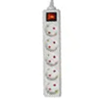
- Never plug one power strip or extension cord into another ("daisy-chaining"). Workplace safety guidance consistently flags this as a fire risk, because the combined load drawn through a single outlet can exceed what the original cord was rated to carry
- Check a surge protector's joule rating and keep in mind that it wears out over time — each surge it absorbs leaves it slightly less effective, so replacing one periodically is worth doing, especially for equipment that actually matters
- Pay attention to cable gauge (cross-section). A thinner cable is built for lower-power devices like a laptop charger, while higher-draw equipment (a water heater, an espresso machine) needs a thicker cord rated for more current
As an aside, it's worth knowing that almost every PC, monitor and printer power cord in the world uses the same standardized connector — the familiar three-pin "cloverleaf" plug (C13/C14) — because it's defined by the IEC 60320 international standard, which is exactly why cords from completely different brands are so often interchangeable. Along similar lines, today's electronic surge protectors trace back to transistor-based circuits developed in the 1970s that could react in real time to brief voltage spikes.
The right combination depends on a few factors:
- Number of devices. A single-monitor desk often only needs one cable box and a couple of clips, while a two- or three-monitor setup with audio gear usually calls for a sleeve or raceway as well
- Desk type. A height-adjustable desk needs a vertical spine solution with real slack built in — otherwise cords stretch or pop loose every time the desk goes up
- How often things get rearranged. If devices move or get swapped out often, Velcro straps and clips beat a permanent, cut-to-fit raceway
- Space and budget. One good cable box and a properly rated power strip is usually a better investment than several cheap extension cords plugged into each other
If it's time to refresh your desk's power setup, OfficePro's chargers and cables section is a good place to start, and for extension cords and splitters there's the T-joints and extension cords category. A few well-chosen accessories and a little planning are usually all it takes to turn the space under a desk from a cable maze into something tidy and safe.
Why cable clutter is more than a cosmetic problem
A messy cable situation affects more than appearance. Power cords bundled tightly together for long periods under constant load can run warmer than they should, since heat has nowhere to escape when cables are wound around each other. Cords lying across the floor are a genuine trip hazard, especially where colleagues walk past a desk regularly. And cables that get yanked, bent sharply, or stepped on repeatedly wear out their connectors over time — which shows up later as a device that seems to have "stopped working" when the real problem is just a worn cable or loose plug.
The main cable management methods, explained
A few approaches are genuinely proven, and the best results usually come from combining them rather than picking just one:
- Cable box. A ventilated enclosure that hides a power strip and the slack cord length behind or under the desk
- Cable raceway. A D-shaped plastic channel mounted to a wall or desk leg that routes cords along one fixed, tidy path
- Cable sleeve. A zippered fabric tube that bundles several cords running to the same place — useful when a monitor, webcam and speakers all connect to the same computer
- Adhesive clips. Small clips fixed to the underside of the desk that hold — rather than hide — a single cable that still needs to stay within reach, like a phone charger
- Vertical cable spine for height-adjustable desks — keeps cords running in a vertical channel with enough slack that nothing stretches or pulls free when the desk rises
For fastening, reusable Velcro straps are generally the better choice over single-use zip ties: zip ties have to be cut off to remove, which can nick the cable's insulation if the setup ever needs rearranging.
The electrical safety rules that are easy to overlook
Organizing cables isn't only about appearance — it's also a safety question:
- Never plug one power strip or extension cord into another ("daisy-chaining"). Workplace safety guidance consistently flags this as a fire risk, because the combined load drawn through a single outlet can exceed what the original cord was rated to carry
- Check a surge protector's joule rating and keep in mind that it wears out over time — each surge it absorbs leaves it slightly less effective, so replacing one periodically is worth doing, especially for equipment that actually matters
- Pay attention to cable gauge (cross-section). A thinner cable is built for lower-power devices like a laptop charger, while higher-draw equipment (a water heater, an espresso machine) needs a thicker cord rated for more current
As an aside, it's worth knowing that almost every PC, monitor and printer power cord in the world uses the same standardized connector — the familiar three-pin "cloverleaf" plug (C13/C14) — because it's defined by the IEC 60320 international standard, which is exactly why cords from completely different brands are so often interchangeable. Along similar lines, today's electronic surge protectors trace back to transistor-based circuits developed in the 1970s that could react in real time to brief voltage spikes.
How to choose a system for your own desk
The right combination depends on a few factors:
- Number of devices. A single-monitor desk often only needs one cable box and a couple of clips, while a two- or three-monitor setup with audio gear usually calls for a sleeve or raceway as well
- Desk type. A height-adjustable desk needs a vertical spine solution with real slack built in — otherwise cords stretch or pop loose every time the desk goes up
- How often things get rearranged. If devices move or get swapped out often, Velcro straps and clips beat a permanent, cut-to-fit raceway
- Space and budget. One good cable box and a properly rated power strip is usually a better investment than several cheap extension cords plugged into each other
If it's time to refresh your desk's power setup, OfficePro's chargers and cables section is a good place to start, and for extension cords and splitters there's the T-joints and extension cords category. A few well-chosen accessories and a little planning are usually all it takes to turn the space under a desk from a cable maze into something tidy and safe.